Desktop App
HeimerClean desktop app is organized into focused pages so users can quickly find the right action.
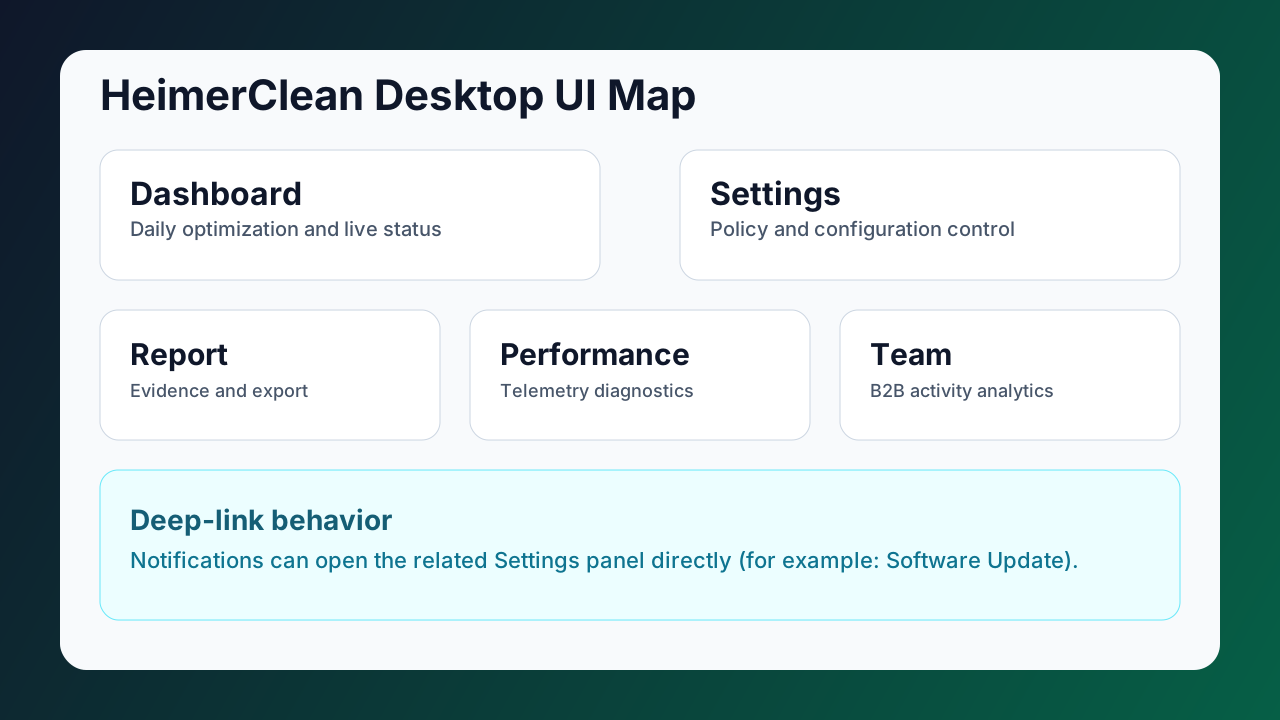
UI Sections
- Desktop UI Overview
- Dashboard Widgets
- Settings Widgets
- Language Packs
- Report, Performance, Team Widgets
- Update Automation
Main Areas
Dashboard
Primary daily surface for optimization run status, AI state, energy savings, tasks, and plan state.
Settings
Control center for account, app behavior, update policy, notifications, background services, and AI rollout controls.
Report
Operational output area to review detected/cleaned totals, evidence lists, date-range filtering, and export actions.
Performance
Telemetry diagnostics page for active app detection, capture metrics, GPU/platform diagnostics, and cloud snapshot.
Team
B2B-oriented view for team activity, AI intervention/training, scoped devices, and organization-level insights.
Recommended Use Flow
- Open Dashboard for current status.
- Run optimization when required.
- Review Report evidence.
- Tune behavior from Settings.
- Use Performance and Team for advanced diagnostics and tenant analytics.
Support Cases
Contact support if:
- App startup repeatedly fails.
- License status stays invalid after sign-in.
- Update installation fails repeatedly.
- Report or telemetry does not refresh.
- Team panel cannot load tenant data.