Settings Widgets
Settings is grouped into Profile/Licensing, Application, and System/Control sections.
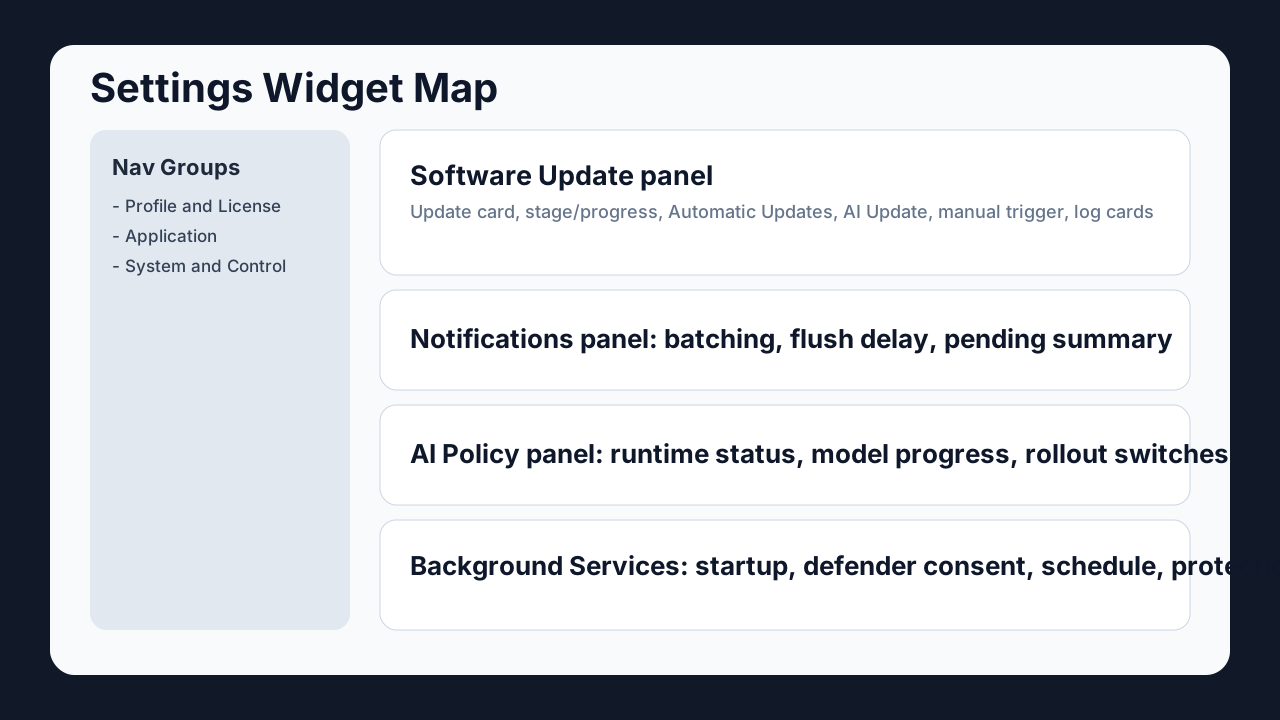
Settings Navigation Groups
| Group | Panels |
|---|---|
| Profile and License | Personal Info, Subscription, Security, Family/Company |
| Application | About, Certificate Trust, Software Update, Theme, Language, Notifications |
| System and Control | Background Services, AI Policy and Rollout, Privacy/Security and other operational panels |
Key Panels And Widgets
Detailed profile-panel breakdown:
Software Update panel
- Update card header: package/version context
- Update Tonight / Update Now: scheduling vs immediate run
- Automatic Updates switch: standard auto flow
- AI Update switch: low-usage AI-gated flow
- Task cards: per package state, behavior, manual trigger
- Recent logs: last task outcomes and stage summaries
For detailed update behavior see Update Automation.
Notifications panel
- Batched Game/Render Notifications switch
- Notification mode summary
- Pending summary and flush delay
- Telemetry and game report status hints
AI Policy and Rollout panel
- Runtime status block
- Local + Cloud model progress block
- Kill Switch, Rollout Pause, Force Hybrid
- NVIDIA Assist / Dynamic Profile / Game Hard Block beta controls
Background Services panel
- Admin startup and startup-mode controls
- Defender exclusion consent flow
- Work-hour schedule window
- Protected area / quarantine controls
Language and Region panel
- Built-in languages: English and Turkish
- Downloadable language catalog for additional packs
- Download + Use / Set Default / Remove controls
- English fallback base to prevent mixed-language UI
See Desktop Language Packs for the full flow.
Safe Configuration Approach
- Change one control at a time.
- Validate behavior before changing additional switches.
- Keep update and AI policy controls documented for support handoff.