HeimerClean 2.2.9 Update Notes
Published: 20 October 2026
Focus: more reliable updates and licensing, account-specific cloud reports, stronger protection, and a smaller Windows download.
HeimerClean 2.2.9 improves the parts of everyday PC care that should work quietly: keeping the app current, recognizing your license, showing your own activity, and continuing local optimization when connectivity is interrupted.
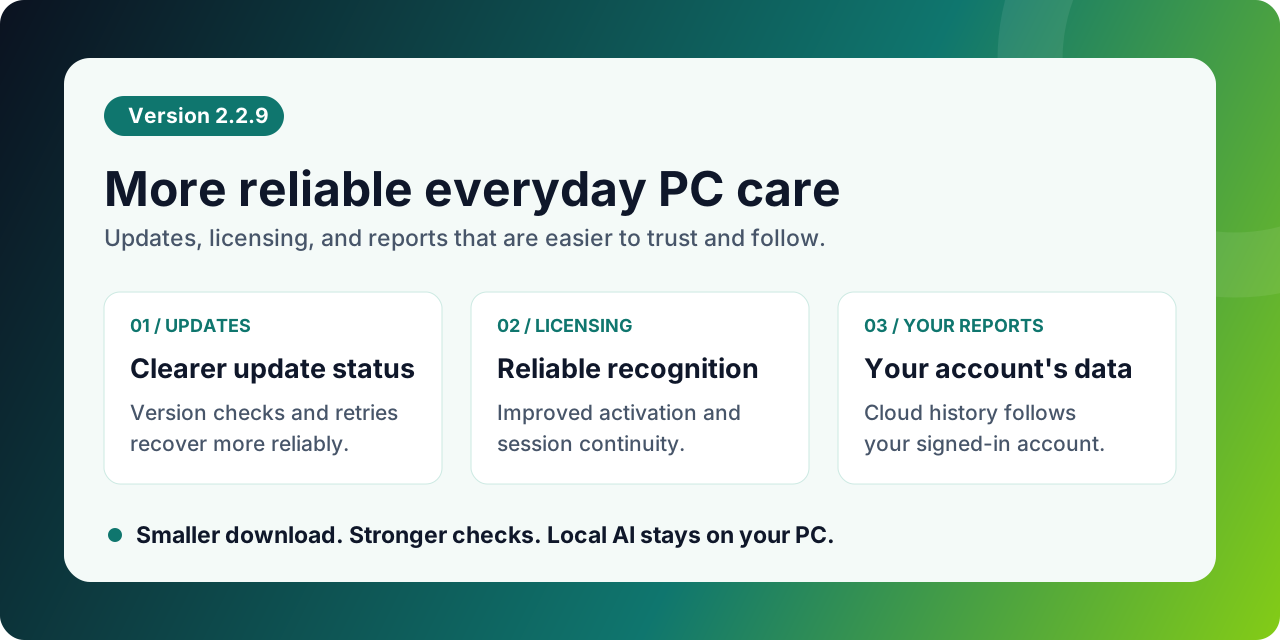
What Changed In 2.2.9
1) More reliable version checks and update recovery
The app now keeps its displayed version aligned with the installed application. An older saved setting should no longer make a successful update appear to leave you on the previous version.
Update checks distinguish a connection problem from a successful check that found no new release. Interrupted downloads and failed attempts have improved recovery and retry handling, and the handoff from the app to the installer has been strengthened.
For you: clearer update status and a better path to retry when a download or installation does not finish.
2) Existing licenses are recognized more reliably
License handling has been strengthened across online validation and saved offline access. A small difference between the computer clock and the license server no longer causes a newly issued license confirmation to be rejected immediately.
Existing license type, device limits, and expiry still apply. Renewing a local confirmation does not restart a subscription or extend the license term. If a device's hardware or network identity has changed, the existing key may need to be activated for that device again.
For you: fewer false license failures after updating, while your existing entitlement stays intact. The clock-compatibility correction is delivered by the licensing service and also works with an already installed 2.2.9 app.
3) Cloud date-range reports follow your signed-in account
Cloud report requests now consistently use the active signed-in account, including when you change the date range. Personal report filters do not automatically expand to other users or an entire company.
Cloud history requires sign-in. Local report history remains a separate data source; selecting Cloud does not turn local records into cloud records.
For you: the selected period shows your account's activity. If a cloud report looks empty, check the account, data source, and date range before trying again.
4) Stronger checks around updates and local AI data
Update information, downloaded packages, and language packs receive stronger authenticity and integrity checks. Changed or damaged update content is rejected before it is applied. Checks on requests between the app window and its local services have also been tightened.
Protection of locally stored AI model and policy data has been strengthened. The AI optimizer continues to run on your PC; these packaging and protection improvements do not move local optimization to a cloud-only service.
For you: stronger protection around software updates and local optimization data. A rejected download should be retried through the app or the official download page rather than bypassing its checks.
5) A smaller Windows installer
The verified 2.2.9 Windows installer is approximately 159 MB. Packaging was reduced while retaining the local AI engine and the runtime components needed by the desktop app.
For you: less to download without removing the local AI functionality. Installed disk usage is larger than the compressed installer size.
6) Clearer activity, language, and notification behavior
Cleanup activity provides more detailed progress during temporary-file and memory operations. Language selection and fallback handling have been improved so the saved choice matches the language actually loaded.
Windows notifications can include an image and a direct action for relevant app information. Signed-in notification delivery tracks the account and device to reduce repeated display; connection failures are retried without blocking startup. Signed-in sessions also renew in the background when possible.
For you: easier-to-follow activity and fewer interruptions from routine connection or session maintenance.
Who Benefits Most
This update is particularly relevant if you:
- Still see an old version number after installing an update.
- Have experienced interrupted downloads or installer handoff problems.
- Use an existing individual or company license across app upgrades.
- Use Cloud as the source for personal date-range reports.
- Want the smaller installer while keeping local AI optimization.
After Updating
- Close and reopen HeimerClean, then check the installed version in Settings.
- In Settings > Profile and License > Subscription, confirm the license type, company details where applicable, and expiry.
- If activation is needed, connect to the internet and paste the exact key from your original delivery or account. Keep Windows date and time set correctly.
- For cloud reports, sign in with the intended account and select the correct source and date range.
- If an update task did not complete, use its retry action in Settings > Software Update. Use the official download page for the current installer and installation guidance.